Inside the BASICS App: A Parent’s Guide to How It All Works
By Wellness Hub
Last Updated: August 25, 2026
A complete parent guide to personalised developmental plans, three guided activities a day, learning games, video modelling and progress tracking in the current BASICS app.
Short answer: BASICS is a therapist-created early-intervention and home-support app for children with autism, speech delay and other developmental needs. Parents answer simple questions about their child’s current skills, receive relevant goals and complete three guided activities a day. BASICS covers communication, occupational therapy, oral-motor and articulation skills, daily living activities, social-emotional learning, toilet training, early literacy and more than 250 learning games.
When a child needs support with communication, movement, self-care, feelings or early learning, parents are often given the same broad advice: practise at home. The difficult part is knowing what to practise, how to do it and what the next realistic step should be.
The BASICS app is designed to make that home practice clearer. It turns therapist-created developmental goals into short activities that parents and children can do together during play, meals and everyday routines. Each activity includes a demonstration, practical instructions, parent prompts and therapist tips, so families are not left guessing how to begin.
BASICS is not a diagnostic test, a replacement for individual therapy or a promise that every child will progress in the same way. It is a structured home-practice tool that can be used between therapy sessions or while a family is waiting for professional services.
What is the BASICS App?
BASICS is an early-intervention and home therapy app from Wellness Hub. It brings several areas of child development into one parent-guided system instead of presenting families with an unfiltered collection of exercises.
Parents begin by answering simple questions about observable skills: what their child currently does, finds difficult or needs help with in daily life. BASICS uses those answers to suggest developmental goals and activities. These questions do not diagnose autism, speech or language disorders, sensory differences, motor difficulties or developmental delay.
The current BASICS app includes therapist-created support for:
- Communication and speech therapy
- Autism-related communication, social and everyday support
- Occupational therapy activities
- Fine-motor and gross-motor development
- Sensory processing and motor planning
- Oral-motor and articulation practice
- Activities of daily living, including dressing, brushing teeth and eating
- Social skills, feelings and self-regulation
- Toilet training
- Early reading and writing
- More than 250 learning games
- Video modelling through the Show Me How library
Every plan, activity, game and video is created with input from a multidisciplinary team that includes speech therapists, occupational therapists, behavioural therapists, special educators and child psychologists.
The team behind BASICS was recognised with Google Play’s Best App for Good award for India in 2023.
BASICS at a Glance
| What parents want to know | How BASICS works |
|---|---|
| Who is it for? | Children with autism, speech delay and other developmental needs, including children who communicate through speech, gestures, signs or AAC |
| How is a plan created? | Parents answer questions about observable skills, and BASICS suggests relevant developmental goals |
| What happens each day? | The app presents three guided activities instead of asking parents to search through a large library |
| What does each activity include? | A demonstration video, clear steps, parent prompts, adaptations, progressions and therapist tips |
| What areas are covered? | Speech and communication, OT, oral motor and articulation, ADLs, social-emotional skills, toilet training, reading and writing |
| Are there child-facing games? | Yes. BASICS includes more than 250 games across Speech and Language, Academics, and Feelings and Friendships |
| How is progress recorded? | Parents rate how each activity went and follow progress against the child’s selected goals |
| Does it replace therapy? | No. BASICS supports home practice and can work alongside a child’s professional team |
| Is there a trial? | BASICS Premium currently offers a seven-day free trial; prices and renewal terms should be checked in the relevant app store |

Speech and Autism Learning App for Kids Ages 2–8


Is BASICS a Speech Therapy App, an Autism App or More?
BASICS can accurately be described as a speech therapy app for kids and an autism support app, but neither description captures the whole product.
Speech and communication are major parts of BASICS. Children can practise first words, vocabulary, phrases, sentences, WH questions, conversation and speech sounds. However, the app also supports motor skills, sensory needs, self-care, feelings, social participation, toilet training and early literacy.
For autistic children, BASICS offers more than spoken-language practice. Activities can involve gestures, visual support, AAC, shared play, daily routines, emotional understanding and video models of useful actions. The aim is meaningful participation and communication, not making every child respond, play or communicate in the same way.
Parents searching for an autism app for kids should therefore look beyond the label and ask what the app actually supports: functional communication, everyday participation, parent guidance and practice beyond the screen.
This broader structure is why BASICS is best understood as a parent-guided developmental support app with speech therapy, autism support and occupational therapy inside one system.
Who Is BASICS Designed For?
BASICS is designed for parents and caregivers supporting young children with developmental needs. A family might use it because their child:
- is not yet using words or is using fewer words than expected;
- communicates through gestures, signs, pictures or AAC;
- needs help moving from single words to phrases and sentences;
- finds WH questions, conversation or social situations difficult;
- needs support with speech sounds or oral-motor goals;
- avoids drawing, cutting, dressing or other hand activities;
- finds balance, coordination or motor planning challenging;
- needs more structure around brushing teeth, dressing, eating or toileting;
- is learning to recognise feelings, take turns, handle frustration or join play; or
- needs gradual support with letters, sounds, early reading or writing.
A diagnosis is not required to begin using the app. At the same time, BASICS should not be used to decide whether a child has autism, ADHD, a speech-language disorder, sensory processing difficulties or another developmental condition. When concerns are persistent, affect daily participation or involve a loss of previously used skills, professional assessment remains important.
How Does BASICS Create a Plan for Your Child?
The value of BASICS is not simply that it contains many activities. Its main function is to narrow the next step for the parent.
1. Choose an Area of Support
Parents start with the area that matters most now, such as communication, fine-motor skills, self-care or social-emotional development. A child may need support in several areas, but beginning with one meaningful priority keeps practice manageable.
2. Answer Questions About Current Skills
BASICS asks parents simple questions about what they observe their child doing. These answers help the app identify suitable goals. They should be treated as parent observations, not as clinical test results.
If you are uncertain about an answer, choose the option that best reflects what your child does consistently without unusual prompting. One successful attempt does not necessarily mean a skill is established in every person, place or routine.
3. Review the Suggested Goals
The app recommends goals based on the parent’s answers. A useful goal should be observable and connected to daily life—for example, requesting help, using both hands during a task, tolerating one part of toothbrushing or answering a simple question.
Parents can review the goals rather than treating an app recommendation as a diagnosis or fixed prescription. If a therapist is already involved, the family can discuss which app goals best reinforce the child’s current professional plan.
4. Complete Three Guided Activities a Day
BASICS provides three activities each day. This prevents the common problem of opening a large content library and not knowing what to choose.
The activities are intended to fit into ordinary moments rather than create another long appointment at home. A communication activity may happen during snack time, a fine-motor activity during play, or a daily-living activity while getting dressed.
Three activities are an organising structure, not a daily test. Parents can shorten, adapt, pause or skip an activity when the child is tired, uncomfortable, unwell or distressed.
5. Record How Practice Went
After an activity, the parent records how it went. Over time, this creates a goal-by-goal picture of the child’s own practice without streaks or comparisons with other children.
A rating is useful for noticing patterns, but it is not a clinical measurement of mastery. Record the support the child needed, how comfortable they were and whether the skill appeared in daily life—not only whether the activity was completed on the screen.
What Does Each BASICS Activity Give Parents?
Every activity is designed to answer the practical questions parents usually have: What should I do? What should I say? How can I make this easier? What comes next?
Demonstration Video
Parents can watch how the activity is carried out before trying it. The demonstration is especially useful when written instructions are difficult to picture or when the task involves several steps.
Step-by-Step Guidance
The activity is broken into a manageable sequence. Parents can concentrate on one step instead of trying to teach the entire skill at once.
Parent Prompts
Prompts provide examples of what the adult can say or do during practice. They are starting points, not scripts that must be followed word for word. Adapt the wording to the child’s communication style, language and interests.
Adaptations and Progressions
Activities can be made easier or more challenging. A good adaptation removes an unnecessary barrier; a progression adds only the next manageable challenge.
Therapist Tips
Therapist-created tips explain what to notice and how the activity connects with the developmental goal. These tips support parent understanding but cannot replace individual observation and assessment by a qualified professional.
What Is Inside the BASICS App?
Communication and Speech Therapy
The Communication and Speech area supports development from early communication and first words through vocabulary, word combinations, sentences, WH questions and conversation. Activities can be used with speaking and non-speaking children, and families should keep the child’s existing signs, gestures, communication boards or AAC system available.
BASICS is AAC-friendly, but it is not a replacement for a robust AAC system or an individual communication assessment. The American Speech-Language-Hearing Association describes AAC as including the person’s complete communication abilities, such as speech, vocalisations, gestures, signs and aided communication.
Parents looking specifically for speech and language support can read the BASICS Speech Therapy App for Kids guide.
Occupational Therapy Activities
The occupational therapy area includes fine-motor control, gross-motor coordination, sensory processing, motor planning and daily living skills. Activities use real objects, movement and routines so practice is not limited to tapping a screen.
The app can demonstrate and organise an activity, but the meaningful practice happens when the child reaches, grasps, balances, dresses, pours, draws or participates in another real task. An occupational therapist is still needed when a child requires assessment, specialist equipment or an individual plan.
Social Skills and Feelings
BASICS includes activities and games for recognising emotions, calming the body, taking turns, understanding other people and participating in friendships. These areas were designed with autistic children in mind, but the aim should remain connection, communication, safety and participation—not rehearsing a single “correct” social style.
Parents can model a skill, practise it during play and notice whether the child can use it in a real interaction. Completing an emotion-identification game does not automatically mean the child can identify or explain feelings during a difficult moment.
Oral Motor and Articulation
Oral-motor and articulation activities provide guided practice related to mouth movements and clearer speech sounds. These are not interchangeable goals: speech-sound production, voice, fluency, feeding and oral movement can involve different underlying needs.
If a child has persistent unclear speech, pain, coughing, choking, breathing changes, a wet-sounding voice or difficulty managing food, seek assessment from an appropriate professional rather than relying on general exercises.
Daily Living Skills
Daily living activities, or ADLs, include dressing, brushing teeth, eating, washing and other routines. BASICS breaks selected routines into clearer steps and uses demonstrations and parent guidance to support practice.
The goal does not always have to be complete independence. Meaningful progress may involve choosing between two items, completing one part of a routine, asking for help, tolerating a step more comfortably or participating with less support. The BASICS Daily Living Skills guide explains this parent-guided approach in more detail.
Toilet Training
BASICS includes a structured toilet-training programme for autistic children and children who need more time, predictability or support. Parents can work through the process gradually rather than treating toilet learning as a single milestone.
Toilet training should never involve punishment, forced sitting or ignoring pain. Constipation, stool withholding, blood, painful urination or a sudden change in toileting needs medical advice.
Reading and Writing
The reading and writing programmes provide sequential early-literacy practice. Depending on the child’s goals, this may include letters, letter sounds, spelling, pre-writing patterns or other readiness skills.
Literacy activities should match the child’s current ability and remain connected to books, drawing, conversation and real-world print. Neat handwriting or fast progress should not be treated as the only evidence of learning.
How Do the 250+ BASICS Learning Games Fit In?
BASICS includes more than 250 child-facing games across three worlds:
Speech and Language
These games cover first words, vocabulary, phrases, sentences and WH questions. They provide structured opportunities to listen, look, choose and respond.
Academics
Academic games include letters, letter sounds, numbers, counting and spelling. They support selected early-learning skills but do not replace teaching, books, classroom participation or hands-on play.
Feelings and Friendships
These games help children practise naming emotions, calming strategies and understanding simple social situations. Parents can extend the screen activity by talking about the same feeling or skill during real experiences.
The games are one part of BASICS, not the whole app. The personalised plan and parent-guided activities are separate from the game library. A correct tap shows success within that game; it does not by itself prove that the child can use the same skill spontaneously in daily life.
For a closer look at this part of the app, read BASICS Language Games for Kids.
What Is Show Me How Video Modelling?
Show Me How is the BASICS video-modelling library. It uses short, real demonstrations that children can watch and copy with a parent.
Examples in the current app include:
- first words;
- brushing teeth;
- getting dressed;
- using a spoon;
- saying hello and thank you;
- joining play; and
- animal walks such as bear walks and frog jumps.
Video modelling can make an action or routine visible and repeatable. The National Clearinghouse on Autism Evidence and Practice includes video modelling within its evidence-based practice resources for autistic children and young people. That does not mean every video will work for every child or that watching automatically produces the skill.
Use the video as a preview, then practise with real people and objects. Pause, repeat or replace the video with a live demonstration when that works better. The aim is not passive viewing; it is supported participation beyond the screen.
What Should a Parent Do During BASICS Practice?
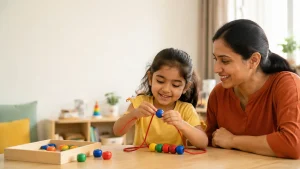
BASICS is built for shared use. The parent does not need to imitate a therapy session or turn every routine into a lesson.
A practical pattern is:
- Preview: Watch the demonstration and understand the goal.
- Prepare: Gather the materials and remove unnecessary distractions.
- Practise: Follow the child’s lead and use the suggested prompt or adaptation.
- Connect: Repeat the same skill during an ordinary routine or play activity.
- Record: Note what the child attempted, what support helped and whether the activity remained comfortable.
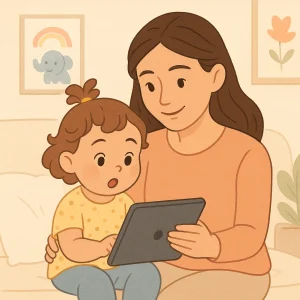
Shared use also gives the parent a clearer view of how the child responds. The American Academy of Pediatrics encourages co-viewing and co-playing because adult involvement can help connect media experiences with conversation and real life.
Stop or simplify an activity if it causes pain, fear, marked fatigue or distress. A child’s refusal is information: the task, material, timing, environment or expectation may need to change.
Can BASICS Be Used With a Child’s Therapist?
Yes. BASICS is designed to extend professional guidance into everyday home practice.
When a speech therapist, occupational therapist, psychologist, special educator or another professional is already involved, parents can show them the selected goals and discuss which activities fit the child’s current plan. The parent’s practice notes can also help describe what happened at home, although app ratings should not be treated as clinical scores.
Families waiting for services can use BASICS to begin simple, parent-guided practice. However, using an app should not delay assessment when a parent has developmental concerns. The CDC advises families to act early, speak with their child’s doctor and request appropriate developmental screening or evaluation when needed.
How Does BASICS Track Progress?
Parents rate each activity and follow progress goal by goal. The system is designed around the child’s own journey rather than streaks, leaderboards or comparisons with other children.
Useful progress is broader than getting every answer correct. Parents can notice whether the child:
- participates for longer without distress;
- needs fewer or different prompts;
- communicates more clearly through speech, gesture, sign or AAC;
- uses the skill with another person or in another place;
- completes a larger part of an everyday routine; or
- returns to the activity willingly.
Progress is rarely perfectly linear. A child may use a skill one day and need more support the next because of tiredness, illness, sensory load, motivation or changes in the environment. The record should help guide the next practice step, not become another source of pressure.
What BASICS Cannot Do
BASICS can make home practice more structured, but it cannot:
- diagnose autism, ADHD, speech delay or another developmental condition;
- perform an individual speech-language, occupational therapy, psychological, hearing, vision, feeding or medical assessment;
- identify the cause of every difficulty;
- guarantee that completing an app activity will transfer to daily life;
- replace a child’s AAC system or communication method;
- prescribe specialist equipment or individual clinical adaptations; or
- guarantee a particular developmental result or timeline.
Seek professional guidance when a concern is persistent, affects participation or safety, or causes significant family stress. Prompt medical advice is especially important for a sudden loss of skills, new weakness, pain, breathing or swallowing difficulties, seizures, injury or another acute change.
How to Start Using the BASICS App
- Download BASICS from Google Play or the Apple App Store.
- Create the child’s profile and choose the area you want to support.
- Answer the questions according to what you consistently observe.
- Review the suggested goals and begin with one meaningful priority.
- Watch the demonstration and try the activity together.
- Record how the activity went and adjust the next attempt when necessary.
BASICS Premium currently includes a seven-day free trial. Subscription prices, renewal dates, cancellation requirements and device compatibility can change, so review the terms displayed in your app store before confirming.
Start With One Meaningful Goal
Parents do not need to recreate an entire therapy programme at home. Start with one goal that would make communication, play, movement or an everyday routine easier for your child. Use the BASICS plan to understand the next activity, practise it together and carry the same idea into daily life.
Built by experts and made for parents, BASICS brings speech therapy, autism support, occupational therapy and everyday developmental practice into one guided app—while keeping the parent-child relationship, the child’s communication and professional care at the centre.
Relevant BASICS Guides
Speech, Language and Autism Support
- BASICS Speech Therapy App for Kids: First Words to Sentences
- Speech and Language App for Autism: How BASICS Supports Communication
- BASICS Language Games for Kids
Occupational Therapy and Daily Skills
- My Child Won’t Hold a Pencil or Crayon
- Gross Motor Activities for Kids at Home
- Bilateral Coordination Activities for Kids
- Hand-Eye Coordination Activities for Kids
- BASICS Daily Living Skills App for Kids
References and Further Reading
- BASICS: Autism, Speech Therapy — Google Play
- BASICS: Autism, Speech Therapy — Apple App Store
- CDC: Why Act Early if You’re Concerned About Development?
- ASHA: Augmentative and Alternative Communication in Early Intervention
- National Clearinghouse on Autism Evidence and Practice: Evidence-Based Practices Report
- HealthyChildren.org: Watch Together—Co-Viewing Media With Your Child
- American Occupational Therapy Association: What Is Occupational Therapy?
Book your Free Consultation Today
Parent/Caregiver Info:
Client’s Details:
* Error Message