


Switching from Screen Time to Other Activities – Social Story PDF
₹80
₹160
50% off
0 (0 ratings)
Grade Levels
Kindergarten - Grade 3 (Ages 5-9)
Content Overview
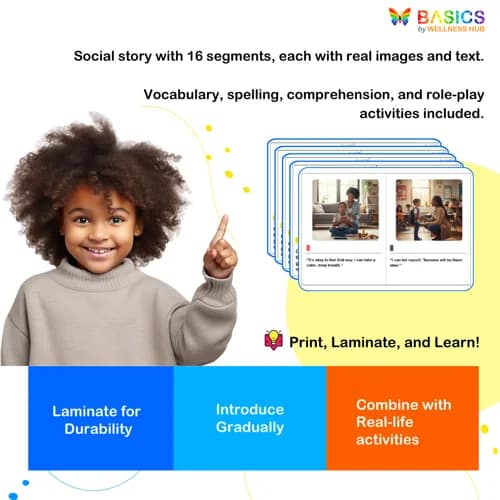
Format: Printable PDF, Total Pages: 11, Features: 16 segments with real images, vocabulary, spelling, comprehension, role-play
Categories
Share


About the Product
Introduction
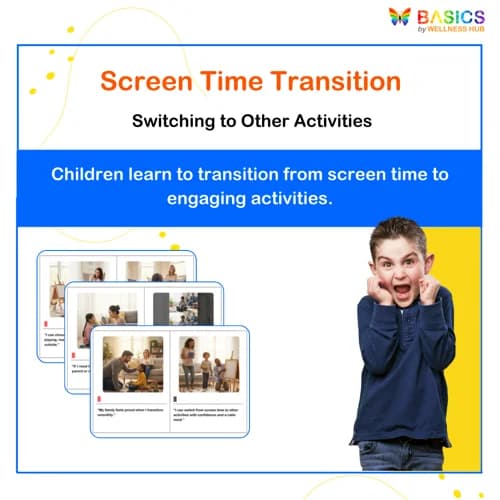
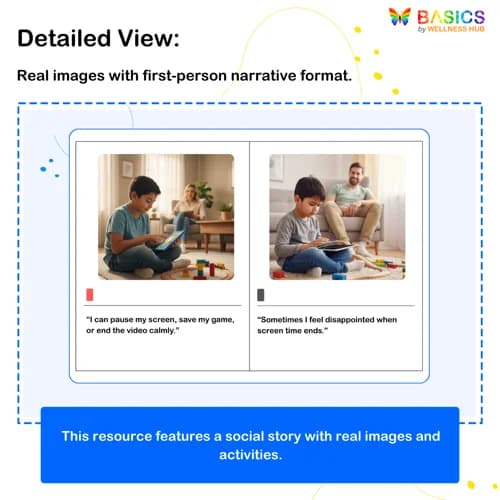
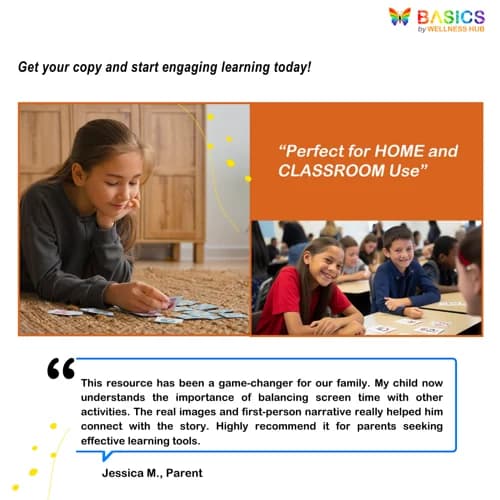
Helping children transition smoothly from screen time to other engaging activities is a common challenge for many parents and educators. The Switching from Screen Time to Other Activities: Social Story PDF is a valuable resource designed to support children in understanding and managing this transition. Using real-life images and first-person narration, this social story helps children relate to the experiences and encourages them to explore a variety of activities beyond screens. Ideal for use in home settings, classrooms, and therapy sessions, this resource aids in developing social skills, comprehension, and vocabulary.
Product Details
- Format: Printable PDF
- Total Pages: 11
- Page 9: Vocabulary and Spelling
- Vocabulary: 5 words with two meaning options each, choose the correct meaning
- Spelling: 5 words with two spelling options each, choose the correct spelling
- Page 10: Comprehension and Open-Ended Questions
- Page 11: Role-Play Activities
- Purpose: To facilitate the transition from screen time to other activities, enhance vocabulary, improve comprehension, and encourage interactive learning through role-play.
Social Story Content: 8 pages of social story with 16 segments in total Each segment includes a real picture and a simple, relatable sentence Additional Activities:
Educational Benefits
1. Facilitates Smooth Transitions
- Helps children understand the importance of balancing screen time with other activities.
- Provides strategies for transitioning smoothly from screens to engaging, real-world activities.
2. Enhances Comprehension and Critical Thinking
- Encourages children to think about the benefits of diverse activities through comprehension questions.
- Promotes critical thinking by exploring reasons to limit screen time and engage in alternative activities.
3. Expands Vocabulary and Spelling Skills
- Introduces new vocabulary related to screen time and alternative activities.
- Reinforces correct spelling and understanding of key terms through interactive exercises.
4. Develops Social and Communication Skills
- Uses first-person narration to help children relate personally to the scenarios.
- Encourages discussion and expression of thoughts and feelings about screen time and other activities.
5. Supports Interactive and Experiential Learning
- Includes role-play activities to practice transitioning from screen time to other activities.
- Engages children in hands-on learning, making the transition process more relatable and manageable.
Instructions for Use
Step 1: Read the Social Story Together
- Sit with the child and read through the social story, discussing each segment.
- Use the real images and first-person sentences to help the child connect with the content.
- Ask questions like, "What other activities do you enjoy besides screen time?"
Step 2: Explore Vocabulary and Spelling
- Go to page 9 and review the vocabulary words and their meanings.
- Have the child choose the correct meaning for each word and discuss why it fits.
- Practice spelling by selecting the correct spelling for each word, reinforcing correct usage.
Step 3: Engage with Comprehension and Open-Ended Questions
- Turn to page 10 and read the comprehension questions together.
- Encourage the child to think critically and answer open-ended questions about the story.
- Discuss their thoughts and feelings about transitioning from screen time to other activities.
Step 4: Participate in Role-Play Activities
- Use page 11 to engage in role-play scenarios based on the social story.
- Act out different situations where the child transitions from screen time to another activity.
- Encourage creativity and expression, allowing the child to explore various activities.
Step 5: Reinforce Learning in Real-Life Situations
- Encourage the child to apply what they've learned in everyday situations.
- Provide gentle reminders and positive reinforcement when they successfully transition from screen time.
- Praise their efforts and progress, reinforcing the benefits of balancing screen time with other activities.
Activities Using the Resource
1. Picture and Sentence Matching
Objective: Enhance comprehension and personal connection to the story.
How to Play:
- Print and cut out each segment's picture and sentence separately.
- Mix them up and ask the child to match each picture with its corresponding sentence.
- Discuss how each picture relates to the sentence and the overall theme of transitioning from screen time.
Skill Development:
- Visual literacy
- Sentence comprehension
- Personal connection to content
2. Vocabulary Word Hunt
Objective: Reinforce vocabulary understanding through interactive engagement.
How to Play:
- Review the vocabulary words from page 9.
- Create a scavenger hunt where the child finds objects or scenarios in their environment that relate to each word.
- Have the child explain how each found item connects to the vocabulary word.
Skill Development:
- Vocabulary application
- Critical thinking
- Environmental awareness
3. Spelling Bee Challenge
Objective: Improve spelling skills through fun competition.
How to Play:
- Use the spelling words from page 9.
- Conduct a mini spelling bee where the child spells each word aloud.
- Provide hints or use the words in sentences if the child needs help.
Skill Development:
- Spelling accuracy
- Listening and speaking
- Confidence in language use
4. Comprehension Discussion Circle
Objective: Foster critical thinking and expression of ideas.
How to Play:
- Read the comprehension questions from page 10.
- Create a discussion circle with family or classmates where each person shares their thoughts on the questions.
- Encourage the child to express their feelings and ideas about screen time and alternative activities.
Skill Development:
- Critical thinking
- Verbal expression
- Social interaction
5. Role-Play Scenarios
Objective: Practice real-life application of transitioning from screen time.
How to Play:
- Use the role-play activities on page 11.
- Set up scenarios where the child acts out transitioning from screen time to another activity, like playing outside or reading a book.
- Encourage creativity and provide feedback on their role-play performance.
Skill Development:
- Social skills
- Problem-solving
- Adaptability
6. Real-Life Transition Practice
Objective: Apply learned skills in daily routines.
How to Play:
- Identify a daily routine where the child can practice transitioning from screen time.
- Use gentle reminders and praise when they successfully switch to another activity.
- Discuss how they felt about the transition and what they enjoyed about the new activity.
Skill Development:
- Real-world application
- Self-regulation
- Positive reinforcement
Frequently Asked Questions
Q1: How can I access the "Switching from Screen Time to Other Activities" PDF?
A1: The PDF is available for download through the Wellness Hub platform. Simply log in to your account, navigate to the resources section, and download the file directly to your device for easy access.
Q2: Is there a licensing requirement for using this resource in a classroom setting?
A2: Yes, the resource is intended for personal and educational use. Educators can use it in classroom settings, but redistribution or commercial use is not permitted. For broader use, please contact Wellness Hub for licensing options.
Q3: What should I do if I encounter issues downloading the PDF?
A3: If you experience any technical difficulties, please reach out to our support team via the contact form on the Wellness Hub website. Our team is available to assist you with any issues related to accessing or using our resources.
Q4: Can I get a refund if I'm not satisfied with the resource?
A4: Wellness Hub offers a satisfaction guarantee. If you are not satisfied with the resource, please contact our customer service team within 30 days of purchase to discuss refund options. We are committed to ensuring our resources meet your needs.
Q5: How does this social story help with transitioning from screen time?
A5: The social story uses real-life images and first-person narration to help children relate to the scenarios. It provides strategies for transitioning smoothly from screens to engaging activities, enhancing comprehension and critical thinking.
Q6: Can this resource be used in therapy sessions?
A6: Yes, it is ideal for therapy settings. Therapists can use it to facilitate discussions about screen time, practice role-play activities, and reinforce vocabulary and comprehension skills in a structured environment.
Q7: How can I reinforce the concepts learned in the social story at home?
A7: Engage in activities such as role-play scenarios and real-life transition practice. Encourage your child to apply what they've learned by providing gentle reminders and positive reinforcement when they successfully transition to other activities.
Q8: Are there interactive elements in the PDF to engage children?
A8: Yes, the PDF includes vocabulary and spelling exercises, comprehension questions, and role-play activities to make learning interactive and engaging. These activities help reinforce the concepts and encourage hands-on learning.
Q9: What additional resources does Wellness Hub offer for supporting children at home?
A9: Wellness Hub provides a variety of home therapy resources, including flashcards, worksheets, and visual schedules. These tools are designed to support parents and caregivers in continuing progress at home, complementing professional therapy sessions.
Q10: How can I contact Wellness Hub for further support or inquiries?
A10: For any inquiries or additional support, you can contact Wellness Hub through our website's contact form or by emailing our customer service team. We are here to assist you with any questions or concerns you may have.
Usage Rights and Restrictions
Allowed Usage:
- Personal use by parents, teachers, and therapists.
- Printable for classroom, home, or therapy settings.
- Can be used in group or one-on-one learning sessions.
Not Allowed:
- Reselling, redistributing, or modifying the resource for commercial use.
- Sharing publicly (e.g., on blogs, social media, or websites) without permission.
- Uploading the file to public sharing platforms.
If you need a bulk license for schools or therapy centers, please contact us.
Conclusion
The Switching from Screen Time to Other Activities: Social Story PDF is a comprehensive and engaging resource that supports children in managing their screen time effectively. By using real-life images and first-person narration, this social story helps children relate to the content and encourages them to explore a variety of activities beyond screens. Ideal for parents, educators, and therapists, this resource not only facilitates smoother transitions but also enhances vocabulary, comprehension, and social skills. With additional activities like vocabulary exercises, comprehension questions, and role-play scenarios, children can practice and apply what they've learned in real-life situations, making the transition process more manageable and enjoyable.